Pace Pal
IoT pace tracking system with real-time data storage and visualization tools
Pace Pal is a running tracker I built when I took up running and wanted to keep an eye on my pace without buying a GPS watch. An Arduino Nano 33 IoT and a GPS module log my position once a second while I run, work out distance and pace on the board, and push each reading to a Firebase Realtime Database over Wi-Fi. Afterwards, a small Python script pulls a day's run and plots my route coloured by pace, inspired by how Strava shows runs.
Holding a steady pace matters a lot in distance running, but the usual answer is an Apple Watch, Fitbit or similar. I wanted the pace data without buying another device, and I wanted to choose for myself how detailed the charts were and which metrics they showed. That meant building the whole chain: the hardware I wear, a place to store the readings, and a way to look at a run afterwards.
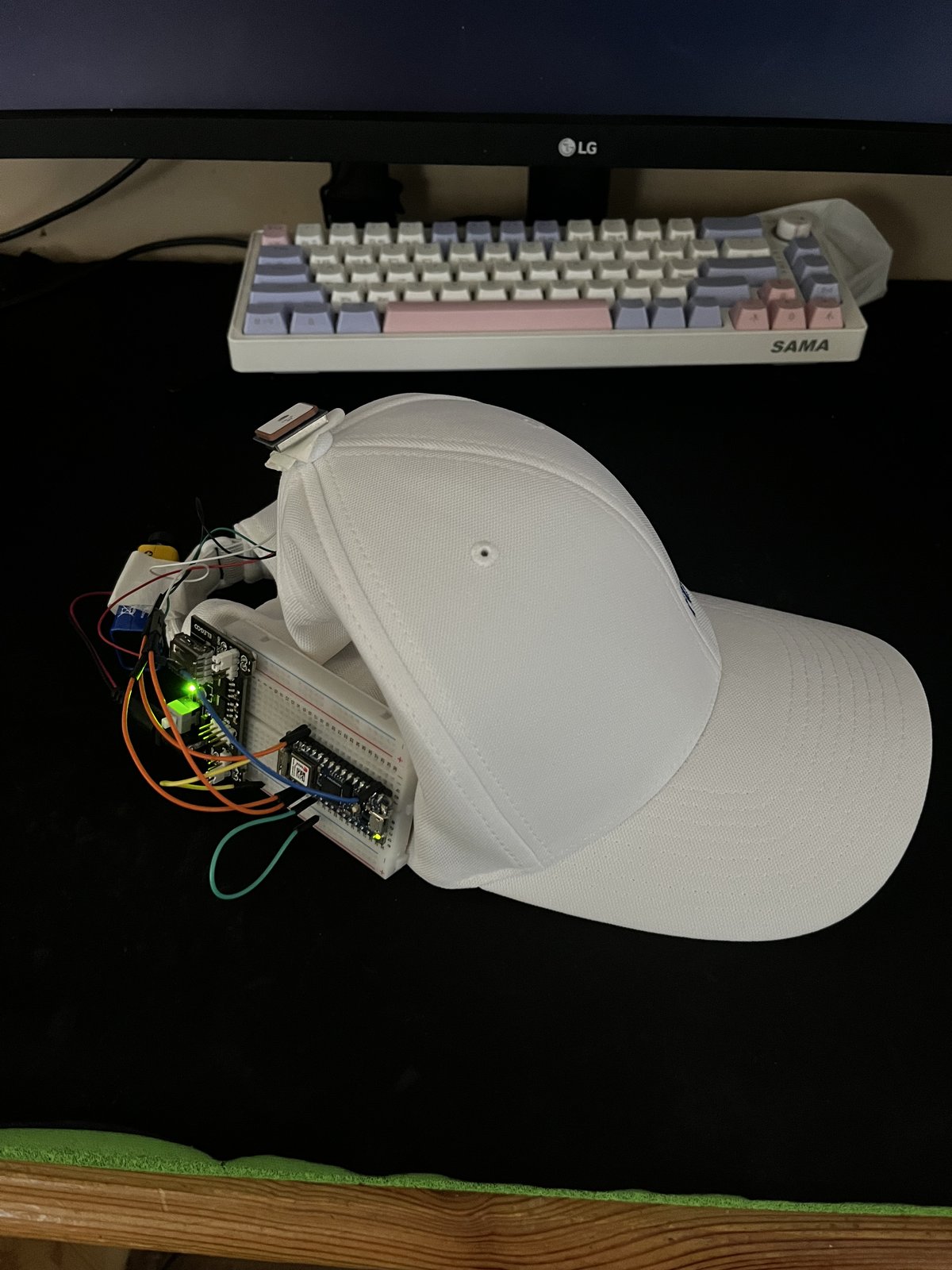
The hardware is an Arduino Nano 33 IoT wired to a Beitian BN-220 GPS module over a 9600-baud serial link, mounted on a cap for runs. The sketch parses the NMEA stream with TinyGPSPlus and waits for a valid fix, date and time before it starts, using a 'smart delay' that keeps feeding the GPS parser between readings and lighting the onboard LED only while readings are valid. Each second it measures the distance from the previous point, adds it to a running total in kilometres and turns it into a pace in min/km, then writes latitude, longitude, total distance and pace as JSON to Firebase under a /run/<date>/<time> path. On the desktop side, a Python script uses the Firebase Admin SDK to fetch one day's readings and draws the route as a matplotlib scatter coloured by pace, with mplcursors hover tooltips for pace and distance at each point.
The result is a working pipeline from a GPS module on my cap to a pace-coloured map of the run on my laptop, with every reading kept in Firebase by date and time. It gave me the pace tracking I wanted without buying a watch, on metrics I chose, and the README documents the full setup so anyone with the same parts can rebuild it.